
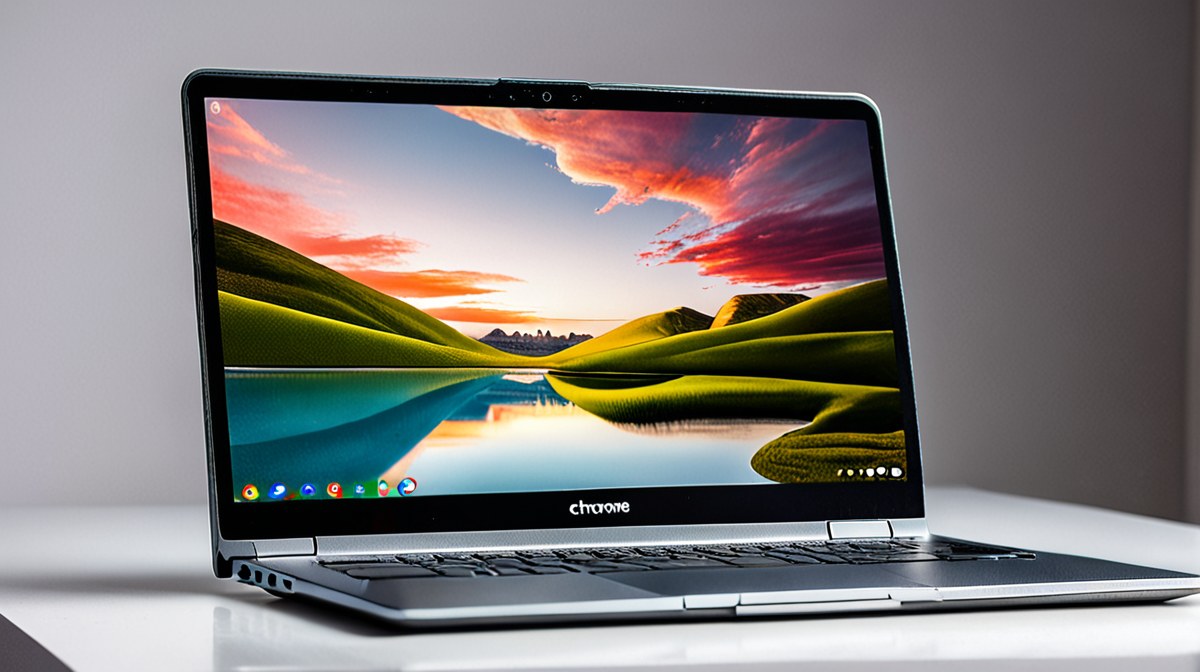
Design & Build Quality: Professional Aesthetics and Durability
For power users, a Chromebook's physical construction is as critical as its internal components, reflecting both durability and a professional image. The 2026 lineup for advanced users sees a clear emphasis on premium materials and robust engineering. Models like the Acer Chromebook Spin 715 are frequently cited for their MIL-STD-810H certified chassis, often crafted from aluminum, which provides excellent rigidity and resistance to everyday wear and tear. Reviewers widely note the solid hinge mechanisms on convertible models, ensuring stability whether used in laptop, tent, or tablet mode, crucial for presentations or detailed touchscreen work.
Conversely, the HP Elite Dragonfly Chromebook Max pushes the envelope with lightweight magnesium alloys and a refined finish, offering a more luxurious feel and reduced portability burden. Its haptic touchpad is a reported highlight, providing precise feedback that rivals traditional physical click pads. Keyboards across these high-end Chromebooks are consistently reported to offer satisfying key travel and tactile response, a non-negotiable for users who spend hours typing code or extensive reports. Backlighting is standard, with multi-level adjustments allowing for comfortable use in varied lighting conditions. The overall trend is away from plastic fantastic, towards devices that feel substantial and engineered to last, justifying their higher price points for a discerning professional audience.
Performance: Unleashing ChromeOS Potential
The 'power' in power-user Chromebooks for 2026 largely stems from significant leaps in processing and memory. Many leading models, including the Acer Chromebook Spin 715 and the Lenovo ThinkPad C14 Chromebook Enterprise, are equipped with 13th or 14th Gen Intel Core i5 or i7 processors, often featuring multiple performance cores. Manufacturer specifications indicate these CPUs provide substantial headroom for demanding tasks, from running multiple Linux virtual machines to complex data analysis scripts in a browser-based IDE. Reviewers consistently report smooth multitasking with dozens of browser tabs open, alongside simultaneous use of Android applications and Linux tools like VS Code or GIMP.
RAM configurations have also seen a crucial upgrade, with 16GB and even 32GB options becoming available on premium models. This addresses a historical bottleneck for power users, enabling more intensive workloads without performance degradation. Storage is predominantly NVMe SSD, offering rapid boot times and quick application loading; reported speeds often exceed 3000 MB/s for read and write, ensuring minimal latency when accessing large files or project directories. While these integrated GPUs (Intel Iris Xe or equivalent) are not designed for AAA gaming, they comfortably handle 4K video playback, light video editing, and complex graphical interfaces within ChromeOS and Linux applications. The overall performance profile indicates these devices are truly capable of 'beyond basic browsing' for those deeply invested in the ChromeOS ecosystem.
Display & Audio: Visual Fidelity and Clear Communication
For power users, particularly those involved in creative fields, data visualization, or frequent video conferencing, display and audio quality are paramount. The 2026 premium Chromebook segment offers a range of high-quality panels. Many models, such as the HP Elite Dragonfly Chromebook Max, feature 13.5-inch or 14-inch displays with resolutions ranging from 1920x1200 (WUXGA) to 2560x1600 (WQXGA), often in a productivity-friendly 16:10 aspect ratio. These panels are frequently reported to offer 100% sRGB color gamut coverage, and sometimes even DCI-P3, ensuring accurate color reproduction vital for graphic design or photo editing.
Brightness levels are also enhanced, with many displays reaching 400 nits or more, making them usable in brightly lit environments. Touchscreen functionality is standard, with many supporting USI 2.0 pens for precise input, which is a boon for note-takers, artists, or those who prefer direct screen interaction. Audio performance has also seen improvements, with manufacturers like HP integrating Bang & Olufsen-tuned speakers and Acer utilizing DTS Audio. While no Chromebook will replace dedicated studio monitors, reviewers widely note that these premium models offer surprisingly clear and loud stereo sound, suitable for video calls, presentations, and casual media consumption. Microphone arrays are also enhanced, often featuring noise-canceling technology to ensure clear voice pickup during remote meetings.
Battery Life & Charging: All-Day Productivity
Endurance is a critical metric for power users who need their devices to last through long workdays or travel without constant access to an outlet. The 2026 generation of high-end Chromebooks has made significant strides in battery efficiency, leveraging power-optimized processors and ChromeOS's inherent lightweight nature. Manufacturers like Lenovo and Acer are equipping their flagship models with larger battery capacities, typically ranging from 50Wh to 65Wh. User feedback and published specifications consistently report real-world battery life estimates between 10 to 14 hours under mixed usage, which includes heavy browser activity, some Linux application use, and video streaming.
Fast charging capabilities are also a standard feature. Many premium Chromebooks support USB-C Power Delivery, allowing for rapid replenishment of the battery. According to manufacturer claims, devices can often reach 50% charge in approximately 30-45 minutes using the included 65W or 90W USB-C adapter. This is a significant convenience for users needing a quick power boost during a busy day. The efficiency gains mean that even with more powerful internals, these Chromebooks are designed to be truly mobile workstations, reducing 'charger anxiety' for professionals on the go. However, intensive tasks like prolonged video editing or running multiple demanding Linux VMs will naturally reduce these estimates, a trade-off inherent to any mobile device.
Value & Verdict: Who Should Invest?
The 2026 power-user Chromebook market presents a compelling proposition for a specific demographic. These devices are not budget-friendly; their pricing, often ranging from $700 to $1,200+, positions them against mid-to-high-end Windows laptops. However, for users whose workflows are primarily cloud-based, Linux-dependent, or heavily reliant on Android apps, the value proposition is strong. The seamless integration with Google's ecosystem, robust security, and simplified IT management (for enterprise users) are significant advantages.
Who should buy? Professionals who prioritize long battery life, enterprise-grade security, rapid boot times, and a low-maintenance operating system that can still flex to handle advanced coding, light content creation, or complex data analysis without needing full Windows or macOS compatibility. Developers who spend significant time in Linux environments will find these machines excellent, especially with the increased RAM. Who should skip? Users who require specific Windows-only software (e.g., CAD, advanced video editing suites, or certain proprietary business applications) or those who demand a discrete GPU for serious gaming or heavy rendering tasks. While powerful for ChromeOS, these devices are not direct replacements for high-end Windows or MacBook Pro machines. For the right user, however, the 2026 power-user Chromebooks represent a mature, highly capable, and genuinely productive computing platform that transcends basic browsing.