
Essential Protection: Cases and Screen Protectors
Protecting your Steam Deck OLED is paramount, given its portable nature and premium display. For carrying cases, options range from minimalist sleeves to hard-shell designs offering comprehensive drop protection. Valve's official carrying case, included with the Steam Deck OLED, provides a well-fitted, semi-rigid shell with internal storage for small accessories. However, third-party alternatives like the JSAUX ModCase or the Killswitch by dbrand offer modularity, allowing users to attach kickstands, power bank mounts, or external grips. Reviewers widely note that the ModCase's modularity adds significant utility without excessive bulk, while the Killswitch is praised for its robust protection and precise fit. The trade-off often lies between sleekness and maximum protection; users who frequently travel or are prone to accidental drops might prefer the more rugged options.
Screen protectors are equally crucial for safeguarding the OLED panel from scratches and smudges. Tempered glass protectors, such as those from JSAUX or amFilm, are frequently recommended for their hardness (typically 9H) and clarity, often providing an oleophobic coating to resist fingerprints. There are also matte screen protectors available, which aim to reduce glare, though some users report a slight reduction in visual clarity or sharpness compared to clear glass. When choosing, consider installation ease, as poor application can result in bubbles or misalignment. User feedback consistently highlights the importance of precise cutouts to avoid interfering with the Steam Deck's bezels or light sensors. The consensus is that a good screen protector is an inexpensive way to prevent costly display repairs, making it a non-negotiable accessory for most owners.
Expanding Connectivity: Docking Stations
A docking station transforms the Steam Deck OLED into a more versatile gaming and productivity hub, allowing connection to external displays, peripherals, and wired networks. Valve's official Steam Deck Dock offers a seamless integration experience, providing HDMI 2.0, DisplayPort 1.4, Ethernet, and three USB-A 3.1 ports, alongside pass-through charging up to 45W. Its design is compact and stable, matching the Steam Deck's aesthetic. However, several third-party docks offer compelling alternatives, often at a lower price point or with additional features.
Brands like JSAUX and iVoler produce docks with similar port selections, sometimes including an extra USB-C port for data, or offering 4K@60Hz HDMI output, which aligns well with the Steam Deck OLED's capabilities for external display. Some third-party docks also integrate M.2 SSD slots for expandable storage, a feature not found on Valve's official dock, which can be a significant advantage for users looking to expand their game library without relying solely on microSD cards. The primary trade-off with third-party docks can be power delivery consistency; while most claim full compatibility, some users report intermittent charging issues or display dropouts with certain non-official docks. We recommend checking user reviews regarding power delivery and display stability, especially for docks advertising higher wattage pass-through or specific display resolutions. For users who frequently connect to a TV or monitor, a reliable dock is an indispensable accessory, turning the handheld into a capable home console.
Powering Up: Portable Chargers and Power Banks
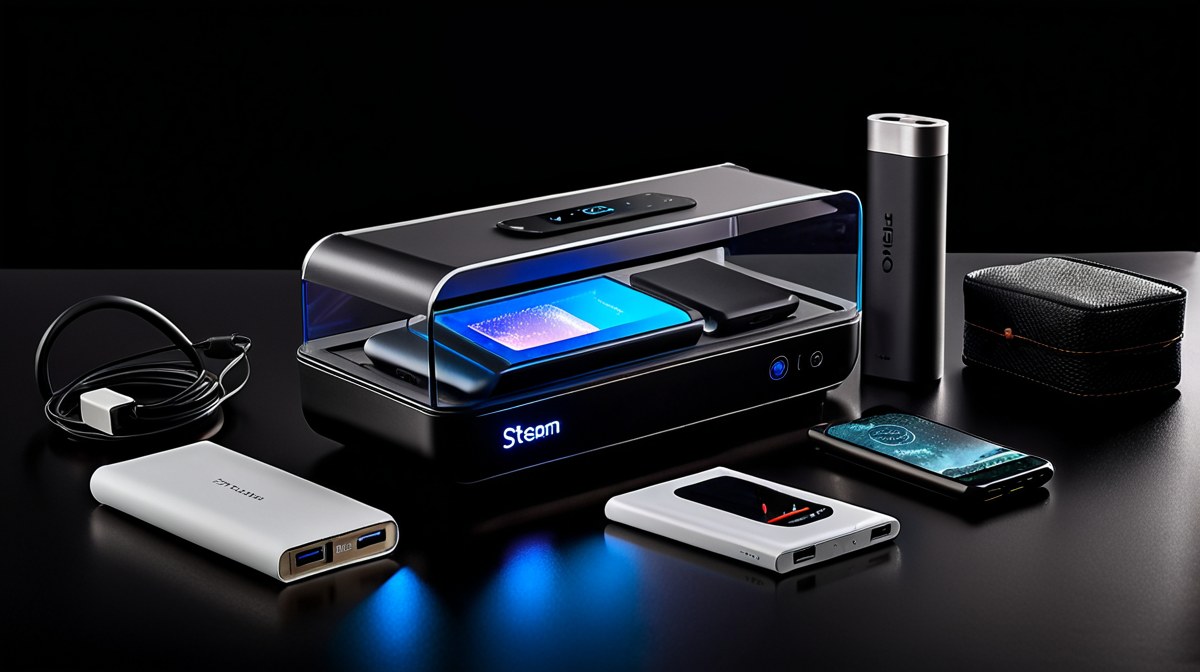
Given the Steam Deck OLED's improved but still finite battery life, especially when playing demanding titles, a high-capacity portable power bank is an invaluable accessory for extended gaming sessions away from an outlet. To effectively charge the Steam Deck OLED, a power bank needs to support USB Power Delivery (PD) and ideally offer at least 45W output to match the console's maximum charging rate while playing. Power banks with lower wattage output will charge slower, or may only maintain the battery level during gameplay rather than actively charge it.
Popular choices include the Anker 737 Power Bank (PowerCore 24K) and the Baseus Blade, both of which offer substantial capacities (typically 20,000mAh to 25,600mAh) and high wattage output (60W to 140W). The Anker 737, for instance, provides a 140W max output, ensuring rapid charging even under heavy load, and its 24,000mAh capacity can provide approximately one full charge and a significant portion of a second charge for the Steam Deck OLED, depending on usage. The Baseus Blade, while offering similar capacity and output, often comes in a slimmer form factor, which some users prefer for portability. The trade-off often involves size, weight, and price. Larger capacity power banks are heavier and bulkier, but offer more recharges. When selecting a power bank, verify its actual output wattage, as some marketing claims can be misleading. Additionally, consider the number of USB-C ports and whether it supports pass-through charging if you plan to charge the power bank and the Steam Deck simultaneously. For serious portable gamers, a robust power bank is almost as essential as the Steam Deck itself.
Comfort and Storage: Grips and MicroSD Cards
Enhancing comfort during long gaming sessions can significantly improve the overall experience, and this is where ergonomic grips come into play. While the Steam Deck OLED has a generally comfortable design, some users find third-party grips, such as those integrated into cases like the dbrand Killswitch or separate snap-on grips from brands like JSAUX, offer a more substantial or contoured hold. These grips can alleviate hand fatigue and provide a more secure feel, particularly for users with larger hands. The primary consideration here is personal preference for ergonomics and whether the added bulk is acceptable. Some grips also double as protective cases, offering a dual benefit.
For storage, while the Steam Deck OLED offers up to 1TB of internal NVMe SSD storage, expanding this with a high-speed microSD card remains a cost-effective solution for a burgeoning game library. The Steam Deck OLED supports UHS-I microSD cards, and while UHS-II cards are physically compatible, they will operate at UHS-I speeds. Therefore, investing in a top-tier UHS-I card from reputable brands like Samsung (EVO Select, PRO Plus) or SanDisk (Extreme, Extreme PRO) is recommended. Look for cards with high sequential read speeds (100MB/s or more) and A2 app performance rating, which indicates better random read/write speeds crucial for game loading. While microSD cards will generally be slower than the internal NVMe SSD, the difference in game load times is often negligible for many titles, making them an excellent value proposition for expanding storage capacity without breaking the bank.
Value and Verdict: Making Smart Accessory Choices
When evaluating the value of Steam Deck OLED accessories, it's crucial to consider individual usage patterns and budget. Not every accessory is essential for every user. For instance, a dedicated screen protector and a good carrying case are almost universally recommended due to their protective benefits and relatively low cost. These two items provide foundational protection against everyday wear and tear, safeguarding your investment.
For users who frequently game on the go and away from power outlets, a high-capacity, high-wattage power bank represents excellent value by significantly extending play sessions. Similarly, those who wish to connect their Steam Deck OLED to external displays for a more traditional gaming experience will find a versatile docking station indispensable. The choice between Valve's official dock and a third-party alternative often comes down to budget and specific feature needs, such as integrated M.2 SSD slots.
Less critical, but still valuable for specific users, are ergonomic grips and high-speed microSD cards. Grips cater to personal comfort preferences, while microSD cards offer an affordable way to expand storage for larger game libraries. The key is to prioritize accessories that address specific pain points or enhance frequently used features. Avoid redundant purchases or accessories that offer minimal practical benefit for your specific use case. By focusing on quality and utility, Steam Deck OLED owners can curate an accessory collection that truly elevates their portable gaming experience without unnecessary expenditure.